
What Is Marketing Automation? How It Works
Marketing automation turns customer actions into useful next steps. Here is what that means for your team.
Patrick Chemoul, CEO of Dopweb
Updated November 5, 2026
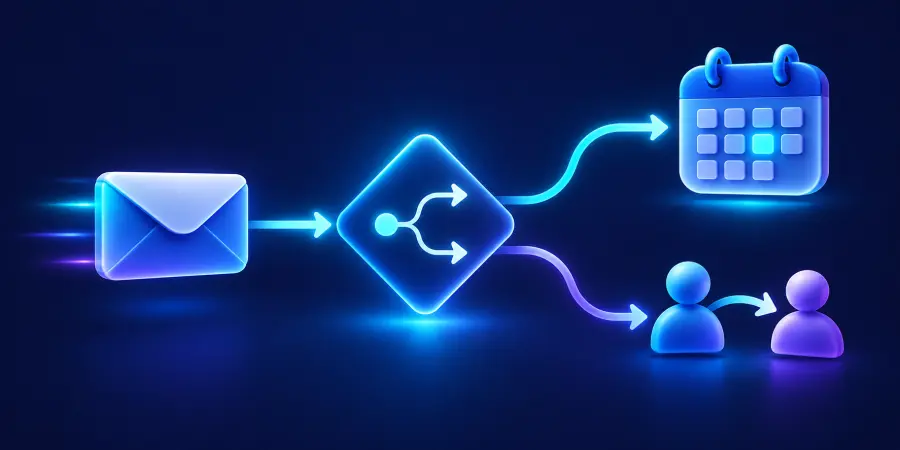
Marketing automation is the use of software to carry out marketing actions when defined events or conditions occur. It can deliver a requested resource, update a contact record, assign a follow-up task or stop a sequence when someone responds.
Think about what happens after someone asks for information on your website. The useful outcome is not merely an automatic email. The request must reach the right person, the customer should receive a relevant answer, and your team needs to know what happens next. Automation connects those steps through explicit rules.
What does marketing automation mean in everyday work?
A workflow translates a business decision into a repeatable sequence. For example: when an eligible contact requests a demonstration, acknowledge the request, create a task for the account owner and wait for a booking. If the person books, stop the invitation. If the record is incomplete, send it for review instead of guessing.
The key distinction is context. Sending the same newsletter to everyone on a list is a campaign. Starting or stopping different actions according to an individual contact’s situation is automation. Both can be valuable, but they solve different problems. Our small business marketing automation guide explains where each fits in a wider plan.
A form confirmation can be a single automatic email. The process becomes a marketing automation journey when it also uses contact data, responds to events, and ends follow-up when a rep takes over. Map the trigger and exit together. See what a workflow is for the building blocks and agentic AI use cases for examples that need contextual review.
How does a marketing automation workflow work?
1. A trigger starts the process
The trigger is an event the system can detect: a form submission, a resource request, a registration or a change in CRM status. Decide whether the event can enroll a person once or repeatedly. Otherwise, a visitor who submits twice may receive duplicate messages and appear as two separate opportunities.
2. Conditions decide which route is appropriate
Conditions evaluate relevant information, such as service interest, an existing sales conversation or whether the person is already a customer. Missing information needs its own route. An unknown contact status should not silently qualify someone for every sequence. Keep the decision understandable enough that a colleague can explain why a person was enrolled.
3. Actions deliver the next step
An action might send a resource, notify a salesperson, update a record or schedule an internal task. Define what counts as successful completion. An API accepting a request does not always mean a customer received an email. Keep the right logs and alerts so staff can distinguish a queued action from a completed one.
4. Exit rules prevent inappropriate follow-up
A reply, meeting, purchase, cancellation or unsubscribe can change what should happen next. Exit rules are part of the core workflow, not cleanup added later. If sales takes over, automated messages should not continue as though no conversation exists. Our implementation guide explains how to test these transitions.
A simple example: handling a demo request
Imagine a small consulting business receiving 40 eligible demo requests in a month. Staff spend six minutes per request copying details, checking ownership and creating a task. That represents four hours of recurring administration. If the workflow removes four of those minutes, the illustrative gross saving is 160 minutes, or two hours and 40 minutes.
40 requests in the example 4 min removed per request 2h 40m gross monthly capacity recovered
This is a calculation based on stated assumptions, not a benchmark or a promised client result. Time spent reviewing exceptions and maintaining the connection must be subtracted. The workflow does not eliminate the need to understand the customer’s problem or prepare a relevant demonstration.
The same event could follow different paths. An existing customer may need an account manager; a new inquiry may go to sales. See our marketing automation examples for other journeys, including event follow-up, quote reminders and onboarding.
How is it different from a CRM or email marketing?
A CRM stores the relationship
A CRM organizes contact details, ownership, sales activity and opportunity status. Marketing automation uses events and data to coordinate actions. Some products include both functions, but a shared brand does not guarantee that every field updates instantly across modules. Confirm which record is authoritative and how conflicts are handled.
Email is one channel
Email marketing covers communication through email, including newsletters, announcements and automated messages. Automation can also coordinate internal tasks, forms and event records. It is wider than an email sequence. Adding channels, however, adds operational and compliance decisions; begin with the channel that fits the customer’s request.
When comparing platforms, look for the actual combination your business needs. Our marketing automation tools guide focuses on workflows, integrations, ownership and maintenance rather than a universal winner.
Does marketing automation require AI?
No. A rule that stops reminders after a confirmed appointment does not need a language model. AI becomes useful when the input is less structured, such as a written explanation that needs summarizing or categorizing. The model’s output still needs validation, particularly when it affects routing or customer-facing language.
Separate predictable rules from uncertain judgments. An AI assistant can suggest that a request concerns an integration, but it should have a defined fallback when confidence is low. Your team decides what information is safe to send to the provider and when human approval is required.
What are the benefits and limits?
Automation can improve consistency and reduce repetitive effort. It cannot repair an unclear offer, guarantee sales or make inaccurate data trustworthy. Consider a hypothetical set of 100 contacts: 80 contain the fields needed for your chosen workflow, while 20 require review. Automatically enrolling all 100 would hide a data problem rather than solve it.
80% example records ready for routing 20% example records needing review
That split is illustrative. Measure your own records against explicit readiness criteria. A lower automatic processing rate can be the right result if it prevents incorrect messages. Track both successful handoffs and the effort spent correcting exceptions.
What should your team understand before using it?
Staff should know why contacts enter a workflow, what stops it and how to inspect its history. They also need a clear way to pause activity and request a change. Our training guide for business teams separates everyday operation from administration and technical integration work.
For a vendor’s explanation of the concept, see Salesforce’s marketing automation guide. Use it to understand the category, then assess your actual process rather than assume the broad benefits apply automatically.
How Dopweb helps make the definition practical
Dopweb’s AI Agents & Workflow Automation service starts with the handoff your team wants to improve. We define the rules with you, connect the relevant tools and test how the workflow behaves when the normal sequence is interrupted. We also help document ownership and ongoing maintenance.
For AI steps, that includes choosing relevant context, controlling prompt size and testing the output against examples. For straightforward steps, it may mean using no AI at all. The aim is a working process your business owns and understands, with support available when you want to change it.
About the author — Patrick Chemoul, CEO of Dopweb
Patrick Chemoul leads Dopweb, an agency helping businesses with websites, custom software and workflow automation. The agency also provides AI agent integration and team training. Learn more about Dopweb.
Frequently asked questions
What is marketing automation in one sentence?
Marketing automation uses software and defined rules to coordinate marketing actions in response to contact data or behavior, while allowing people to handle the decisions and exceptions that need judgment.
Is an automatic welcome email marketing automation?
Yes, it can be a simple example when a valid signup triggers it. A complete workflow also defines eligibility, duplicate handling, unsubscribe behavior and what should happen after the welcome message.
Does marketing automation replace salespeople?
No. It can prepare information and coordinate follow-up, but discovery, negotiation and relationship building still need appropriate human involvement. Design the handoff so the salesperson knows why the contact is ready for a conversation.
Do I need coding skills?
Many everyday workflows can be configured visually. Integrations, unusual data rules and error recovery may need technical help. The relevant question is whether your team can safely operate and maintain the process you choose.
Let’s talk about your project
Tell us where your team loses time and which tools you already use. We will help you scope a practical first marketing automation project.