
Marketing Automation: A Practical Small Business Guide
Marketing automation can give your team more time. Which customer handoffs should you fix first?
Patrick Chemoul, CEO of Dopweb
Updated November 5, 2026
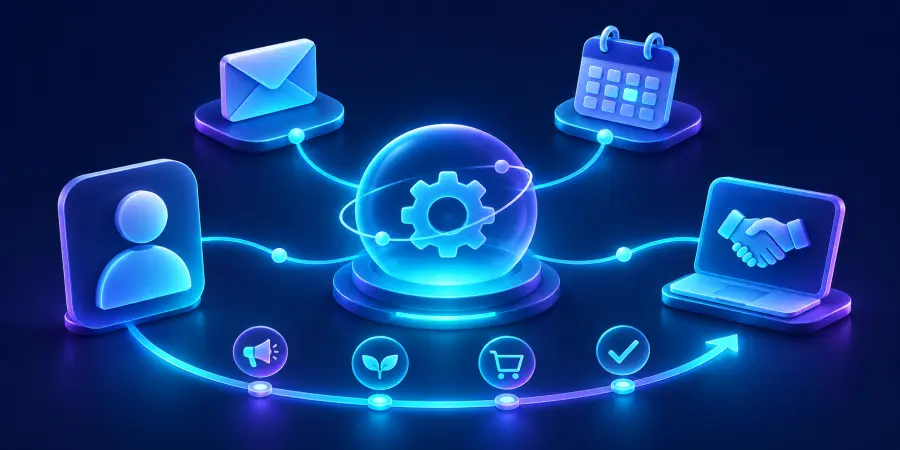
Marketing automation uses software to trigger marketing actions based on customer data and behavior. It connects messages, contact records and follow-up tasks into a defined workflow, helping teams respond consistently while deciding when a person should take over the conversation.
A prospect requests a demo. The form sends an email, someone forwards it, and another person copies the details into a CRM. Two days later, nobody knows whether the prospect received an answer. Buying another tool will not necessarily fix that gap. A shared process, supported by the right automation, can.
What should marketing automation actually do?
Start with a customer outcome: a request reaches the right person, a useful resource arrives when expected, or a sales conversation stops an unnecessary reminder. The software carries out repeatable steps; your team defines the rules, writes the content and handles judgment calls. The purpose is a reliable customer experience, not simply a larger number of emails.
Connect the event, the decision and the next action
A workflow needs an entry event, useful contact information, a decision and a next action. It also needs an exit. For example, a demo request can create a contact record and assign an owner. A booking then stops the invitation sequence. Without the exit, a successful appointment can trigger an embarrassing request to schedule the appointment again.
If these terms are new to your team, our explanation of what marketing automation means separates workflows, email campaigns and CRM records. Agree on those basics before discussing features with a vendor.
Which workflows should a small business automate first?
Prioritize repeated handoffs with a clear owner
Look for a task that happens often, follows understandable rules and has a measurable delay or error. A contact request moving from your website to the correct salesperson is a stronger starting point than an autonomous system expected to manage every customer relationship. Someone should own the outcome and know what to do if the workflow fails.
Choose a manageable audience, such as people who requested a demonstration of one service. Define what makes them eligible, what information they need and which event ends the journey. Our five marketing automation examples show how these choices change between inquiries, events, quotes and onboarding.
Estimate capacity before promising revenue
Here is an illustrative calculation, not a Dopweb client result. If a workflow eliminates five minutes of copying and routing for 60 eligible requests each month, the gross saving is 300 minutes, or five hours. Monitoring and exception handling still take time. Measure those separately before presenting a net saving.
60 eligible requests per month 5 min manual work removed per request 5 hrs illustrative gross monthly saving
Saved time becomes useful when you decide how to use it: faster replies, better qualification or more complete proposals. It is not automatically additional revenue. An automation that saves administrative time but sends unsuitable messages can hurt the customer experience.
How do you choose marketing automation software?
Write down your actual scenario before comparing platforms. Can the system recognize an existing contact, synchronize a booking, stop on a reply and alert an owner after a failure? Ask vendors to demonstrate those actions with sample records. A polished dashboard does not prove that your specific CRM integration supports the events you need.
Consider contact limits, user permissions, reporting, integration maintenance and the effort required to change a workflow. Our guide to marketing automation tools compares practical selection criteria. Product capabilities and plan restrictions change; validate them with the provider before committing.
What needs to be ready before launch?
Reliable data and suppression rules
Choose which system owns each important field. A CRM might own sales status while your sending platform owns unsubscribe status. Decide how updates travel between them and what happens when they disagree. A workflow should not assume that an empty field means permission to send or that a contact imported twice represents two different people.
Commercial email also needs appropriate compliance controls. The FTC’s CAN-SPAM guide explains sender identification, opt-out obligations and other requirements. Have the responsible person review the rules applicable to your audience and channels before activation.
Tests that include the awkward cases
Test replies, cancellations, duplicates, missing details and out-of-order events. Check the recipient’s time zone rather than relying on your office clock. A person in California and a person in New York should not receive messages at an unintended local time. Our implementation checklist turns these checks into a controlled rollout.
How should you measure whether it works?
Define the denominator before looking at percentages. In this hypothetical comparison, 12 of 100 eligible inquiries produced a useful reply before a change, versus 18 of 100 afterward. That is a six-percentage-point difference, not proof that automation caused the improvement. Audience mix, seasonality and message changes can also affect results.
12% illustrative baseline reply rate 18% illustrative later reply rate 6 pts difference to investigate
Track accepted meetings, qualified opportunities and completed handoffs alongside delivery failures and complaints. Review actual conversations. An increase in replies is not necessarily good if people are asking you to stop contacting them. Keep a simple record of what changed and compare similar groups whenever practical.
Where does AI help, and where should people stay involved?
AI can help summarize an inquiry, suggest a category or draft a response. A fixed rule is often better for a clear event such as a confirmed booking. When an AI step is justified, limit the information sent, test ambiguous cases and define a fallback. Prompts, model choice, retries and output length all influence token consumption.
Do not hand over pricing commitments, sensitive exceptions or uncertain customer intent without a review process. Give staff the ability to pause a sequence and correct a record. Our marketing automation training guide explains how to build that operational confidence.
Where an AI step fits in a marketing automation sequence
A quote follow-up usually has a predictable delay and a small set of exit rules. Keep those decisions in the workflow. A model can help classify free-form replies when the right handoff depends on the content. Start by recording a suggested category for the sales rep to review. Compare the suggestion with the actual decision and track cases that would have triggered the wrong follow-up. If intent is unclear, give the rep the reply and pause the sequence. The comparison of agentic AI and generative AI shows how to test whether drafting or contextual research saves more review time.
How Dopweb helps turn the plan into a working system
Dopweb’s AI Agents & Workflow Automation service connects your website, CRM and business tools around a defined customer journey. We map the process, implement the connections, test exceptions and help your team understand how the workflow operates. We can then add use cases and adjust existing workflows as your needs change.
Your business should retain ownership of its accounts and access to its data. We agree on which services process information, the permissions involved and the handover documentation. For AI steps, we evaluate prompts and token use against sample tasks rather than promise an unsupported savings percentage. The result should be a system your team can understand, monitor and improve.
About the author — Patrick Chemoul, CEO of Dopweb
Patrick Chemoul leads Dopweb, an agency helping businesses with websites, custom software and workflow automation. The agency also provides AI agent integration and team training. Learn more about Dopweb.
Frequently asked questions
Does a small business need marketing automation?
It can help when recurring customer follow-up consumes time or becomes inconsistent. Start with a specific handoff and enough activity to measure it. A low-volume business with a reliable manual process may need better organization before additional software.
Is marketing automation the same as AI?
No. Marketing automation can use fixed rules without AI. AI is useful when a task involves interpretation, such as classifying an inquiry, but it introduces uncertainty and needs appropriate evaluation and controls.
Do we have to replace our CRM?
Not necessarily. First check whether your existing CRM exposes the fields, events and integration capabilities your workflow needs. Replacing it should solve a demonstrated limitation, not simply follow a tool recommendation.
What should we measure first?
Choose the customer outcome the workflow is meant to improve, such as completed handoffs or qualified meetings. Pair it with operational checks, including failures, manual intervention and complaints. Use clearly defined eligible contacts as the denominator.
Let’s talk about your project
Tell us where your team loses time and which tools you already use. We will help you scope a practical first marketing automation project.