
AI Agent Oversight: Permissions, Approvals, and Monitoring
Decide who can authorize an action, what gets recorded, and how to stop the agent before you connect it to production.
Patrick Chemoul, CEO of Dopweb
Updated November 5, 2026
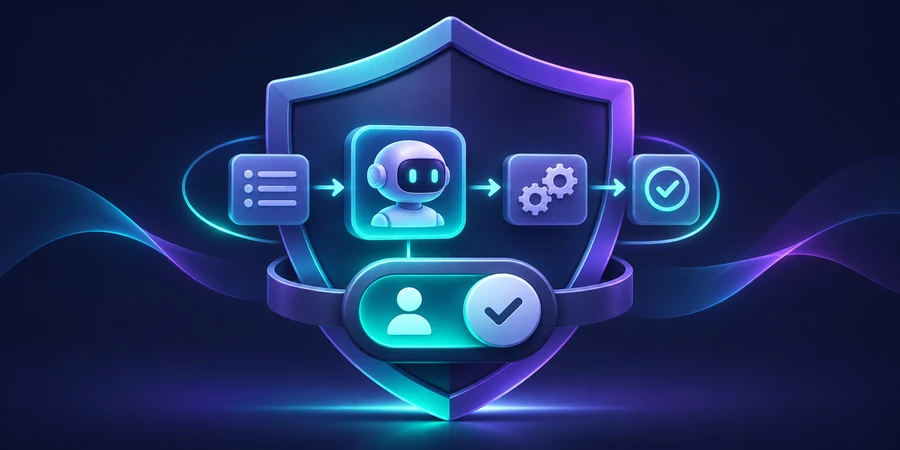
AI agent oversight combines restricted permissions, human approvals, and monitoring. It gives teams a way to verify what an agent did, catch exceptions, and stop or recover a workflow when an action fails.
What AI agent oversight looks like on one case
Consider a return request. The agent finds the order and proposes a next step under a policy. The reviewer should see the order, account, source evidence, and exact action. If the amount or destination changes after the review, the proposal needs a new decision. This connection between the approval and the change is what makes the process auditable.
Enforce the rule in the service that performs the action. It can check that the approval belongs to the same case, amount, and destination. Store the operation ID and confirmed outcome. If a request times out, look up the result before retrying. Effective oversight continues after the approval screen, where a failure can leave an operation in an uncertain state.
Classify actions by impact
Begin with three levels. Restricted reads can often run automatically. A reversible write, such as an internal draft, can be limited to specific cases and monitored. An outside message, spending commitment, or irreversible change should have a separate approval. Involve the staff who understand what happens when a decision is wrong. Revisit the classification whenever you connect a new tool.
Identify fields the model does not need. A routing decision may require the request category and account type, without payment details or an entire customer history. Reduce the context to the necessary records and define how long traces are kept. Review the logging design so it does not copy credentials or complete documents into a second system.
Give each approval a clear owner
For a returns workflow, a support rep might approve a draft while a manager owns policy exceptions. Verify the reviewer’s role for the particular case and action. Set a backup and a timeout for pending approvals. When a proposal moves between teams, record who owns the next decision and what information they need to make it.
Distinguish an approval from a confirmed change
Keep separate events for the proposal, approval, submitted operation, and confirmed result. A reviewer’s approval does not prove that an external update succeeded. Force the destination to respond late and confirm that the case remains visible as pending. Have a second operator use the trace to find the confirmed outcome before retrying. Record how long the exercise takes and what information the operator was missing. This gives you a concrete way to improve both permissions and recovery. Record the timezone and timestamp used in approval logs so teams can reconcile events across the CRM, model provider, and execution service.
What to test before going live
Add a test where a support note tries to tell the agent to bypass policy. Confirm that the application rejects out-of-scope actions. Simulate the wrong destination, a missing record, an expired token, and a network timeout after a remote write. Write down what a safe outcome looks like for each case and how an operator can locate it.
Test the approval queue too. A pending case should have an owner, a reason, and a way to reassign it. An approval should expire when the underlying details change. In an illustrative batch of 30 sensitive actions, require 30 valid approvals and zero actions outside that process. That checks a specific control rather than estimating overall agent reliability.
Illustrative scenario, not measured results 30 sensitive actions tested 30 expected approvals 0 unapproved actions
How to stop and recover when something fails
Build a way to suspend new actions and see which changes have already been confirmed. If 12 cases were in progress and three changes succeeded, reconcile those three separately from the nine unresolved cases. Assign the manual recovery to a specific person. Keep the version of the workflow that produced each proposal so staff can reproduce the issue without repeating the original action.
After an incident, replay the affected case and similar cases. A fix might involve narrower permissions, stronger validation, a corrected source, or an earlier handoff. Record what changed and who approved the restart. The NIST AI Risk Management Framework provides a broader framework for identifying, measuring, and managing risks over time.
Example evaluation or acceptance criteria 12 cases in progress 3 changes already confirmed 9 cases to reconcile
Rehearse an uncertain outcome
Simulate a timeout after a change request is sent but before the tool confirms it. Ask an operator to locate the operation ID, check the destination system, and hand the case to the right owner. Time the exercise. It will show whether the logs support recovery and whether the operator has the necessary access. Repeat the exercise after changing a tool or an approval rule.
Review integration identities whenever a role or connector changes. Remove permissions the current workflow no longer needs and replay the sensitive cases. Use marketing automation training for ideas on how to teach operators to investigate and recover queued work.
Apply the same controls to the workflows around the agent
A conditional workflow can still make changes and produce exceptions. It benefits from the same operation IDs, scoped access, and recovery steps. In marketing automation, a CRM status or opt-out should stop a follow-up regardless of whether an agent has drafted the next message. Keep these stop conditions in the workflow that actually sends the message.
Decide which signals deserve an alert
Track denied actions, pending approvals, and runs that exceed the time budget. A spike in handoffs may mean a source is down, the incoming case mix has changed, or a rule has become too restrictive. Assign each alert an owner and a first diagnostic step. A dashboard is only useful if someone knows what to do when a threshold is crossed.
Assign a review cadence
During the pilot, schedule a short review of declined proposals. Classify each rejection by cause, such as stale data, an incorrect destination, or a request outside policy. Give each class an owner who can correct the underlying issue. Revisit the acceptance criteria after fixing the cause. Keep a sample of rejected cases in the next evaluation batch so the problem is less likely to return.
What Dopweb can put in place
We can map the agent’s permissions, define what evidence a reviewer needs, and integrate the approval and logging steps with the tools your team already uses. A first delivery can include an action matrix, review workflow, evaluation batch, and shutdown procedure. We can run a recovery exercise with your operators so they know where to look before an incident occurs.
Your team retains control of accounts and rules. Dopweb can help when you add a use case, change a connector, or revise a policy. The documented test set gives you a way to verify the change before expanding permissions. Explore Dopweb’s AI agents and workflow automation service.
Related guides on agentic AI
the agentic AI guide · the generative AI comparison · business use cases · how to build an AI agent · how to compare tools
About the author — Patrick Chemoul, CEO of Dopweb
Patrick Chemoul leads Dopweb, an agency helping businesses with websites, software, and automation. The agency also provides AI agent integration and team training. Learn about Dopweb.
Frequently Asked Questions
Which actions should require approval?
Start with irreversible changes, outside communications, spending, and access changes.
What should logs contain?
Record case IDs, tool calls, actions, approvals, and results. Minimize sensitive data in logs.
How can I limit repeated tool calls?
Set a call and time budget and define when the agent hands the case back.
How do I handle an incident?
Suspend the affected actions, identify impacted cases, and restore a manual path while investigating.
Let’s Talk About Your Workflow
Tell us what your team wants the agent to handle. We’ll discuss the scope, integrations, and controls needed for a first pilot.