
What Is Agentic AI? A Practical Guide for Businesses
Agentic AI can act across your business tools. Start by deciding which actions it can take and where your team needs to step in.
Patrick Chemoul, CEO of Dopweb
Updated November 5, 2026
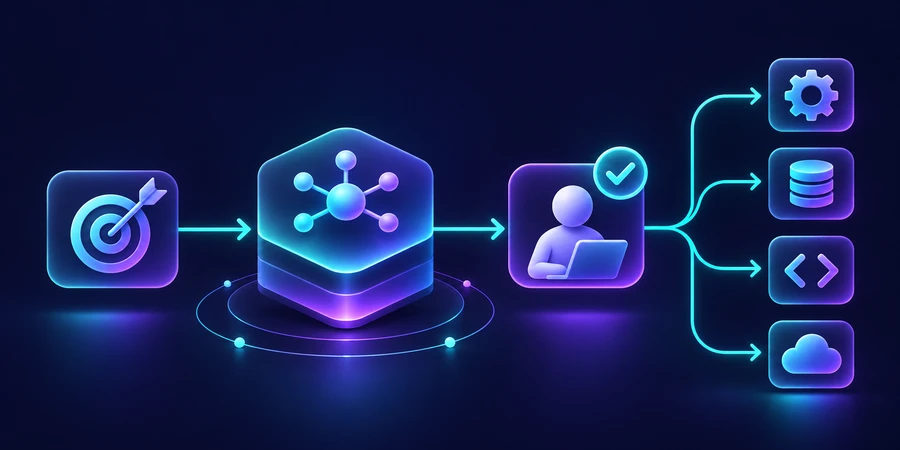
Agentic AI describes systems that work toward a goal by choosing actions, using tools, and adjusting their next step based on the result. The autonomy you give them depends on permissions, business rules, and the consequences of an error.
How does agentic AI work on a real business task?
Suppose your online store takes returns by email and through a self-service form. A support rep checks the order, looks up the policy in effect at the time of purchase, and asks for a photo when the product category calls for one. The steps are familiar, but the records rarely arrive in a clean sequence. Some customers provide an order number. Others start with a description or attach an image without explaining the issue.
Give the system one goal: assemble a return case a rep can verify. When the request includes an order number, it can use a limited lookup tool. If the order is valid but the return reason is unclear, it can prepare a follow-up question. For a policy exception, the system can hand the case to a reviewer with the relevant evidence. The application records which source supported each fact. The reviewer can check the proposed outcome without repeating every lookup.
Define what a good handoff looks like
A missing order is a reason to hand the case back with a specific question. An address mismatch is a reason to ask the account owner to review it. For each exception, define the evidence the agent should attach, the queue it should use, and who owns the next step. Treat a well-supported handoff as a successful outcome in the evaluation. Otherwise, the score can favor confident guesses over appropriate escalation.
Which policy applies to the case?
The newest return policy may not apply to an older order. Give the lookup a date and a market, and attach the policy version to the case. When two rules overlap, surface the conflict and route it to the owner. Test a purchase made just before the cutoff. An agent that finds a relevant paragraph still needs a reliable way to check whether it applies to that customer.
Maintain a simple policy register with an effective date, an owner, and an end date where applicable. That lets the support team update the source as its terms change. Track how often the agent uses a retired rule. If a rep has to resolve the same ambiguity repeatedly, fix the reference data before tuning the model.
Preserve the case across sessions
A customer may answer a follow-up days later. Keep the case status, evidence, and confirmed decisions in the system of record. Add the reply to the existing case and pass the current state and relevant evidence to the agent. During testing, have a second rep resume a case from that record alone. This checks whether the team can recover work without relying on the original conversation.
Decide which steps belong in a workflow
Start with the process your team already runs. Validating a form, deduplicating the request, and adding it to a queue are usually predictable. An agent may add value where the next lookup depends on what it finds, or where staff must interpret several notes to decide which policy applies. The workflow automation guide shows how to map the repeatable steps before introducing an agent.
Keep decisions that need to be reproducible in code or policy rules. The system can calculate a deadline from a verified delivery date, for example. The agent can bring a contradictory policy document to a reviewer’s attention. When the return window changes, your team can update the rule and rerun the relevant cases. It can also see whether a mistake came from the order data, the rule, or the agent’s interpretation.
Measure the savings after review and rework
Illustrative scenario, not measured results 120 monthly cases 3 min saved per case 6 h gross time per month
Time the current process on a representative batch. Break out research, review, and recovery. If a manual case takes eight minutes and an assisted case takes five, the gross difference is three minutes. Across 120 cases that is six hours. If fifteen of those cases take four extra minutes to correct, the net time falls to five hours before operating and maintenance costs. The figures are illustrative. Run the calculation with your own case mix and labor costs.
Add quality measures that reflect the work: wrong account matches, unsupported policy claims, appropriate escalations, and cases accepted without edits. Track the cost per correct outcome, including the model calls and the reviewer’s time. Have the same team score the baseline and the pilot. A single acceptance rate can hide a problem if most of the batch consists of easy cases, so review the exceptions separately.
Move from a test batch to live operations
Run in observation mode first. The agent prepares a proposal while staff follow the usual process. Compare the two outcomes and review disagreements. For the first live phase, use one queue, one class of requests, and a named decision owner. Show the proposed action and supporting evidence before approval. An execution service can verify the request ID and authorization before writing to a business system.
Rehearse a fallback while test cases are still in the queue. A supervisor should be able to pause an action, see which changes are confirmed, and assign unresolved cases to staff. Document who can restore the workflow and what evidence they need. A successful pilot makes the manual recovery path as clear as the automatic path.
Example evaluation or acceptance criteria 40 test cases 10 exceptions included 0 sensitive actions without approval
For the underlying approach, see the technical reference.
What Dopweb can build with your team
We can map the work with your process owner, identify where agentic AI might reduce effort, and define a pilot your staff can evaluate. The initial deliverables can include a workflow diagram, a permissions map, test cases, and acceptance criteria for one task. That gives you a concrete basis for estimating integration effort and ongoing support.
Dopweb can connect the agent to your tools, test model calls against actual scenarios, and tune how much context is sent. Your team keeps control of its accounts and operating procedures. We can help it read the logs, adjust a rule, and rerun evaluation cases when you add a new queue or make a policy change. Explore Dopweb’s AI agents and workflow automation service.
If the work starts with incoming leads instead of returns, use the marketing automation guide to map the intake and follow-up first. Then evaluate which exceptions would benefit from contextual review.
What to bring to a first scoping call
Bring one anonymized request, the result you want, and the systems staff open to get there. Identify the point where a decision needs approval. That is enough to start discussing a testable scope.
Related guides on agentic AI
the generative AI comparison · business use cases · how to build an AI agent · how to compare tools · agent oversight
About the author — Patrick Chemoul, CEO of Dopweb
Patrick Chemoul leads Dopweb, an agency helping businesses with websites, software, and automation. The agency also provides AI agent integration and team training. Learn about Dopweb.
Frequently Asked Questions
Do I need several models?
One can be enough. Test reliability on your own cases before adding more components.
Can an agent use my existing CRM?
Yes, where the CRM exposes the needed operations. Start with narrow read permissions.
Is an agent the right choice for every workflow?
Use rules when the inputs and steps are predictable. Evaluate an agent when the next step depends on context.
What should I budget for?
Include integration, model usage, tools, human review, and maintenance.
Let’s Talk About Your Workflow
Tell us what your team wants the agent to handle. We’ll discuss the scope, integrations, and controls needed for a first pilot.