
Workflow Automation: A Practical Guide for Your Business
Workflow automation helps your team handle more work without adding more copying, chasing, and manual handoffs. Start with the process that slows you down most.
Patrick Chemoul, CEO of Dopweb
Updated November 5, 2026
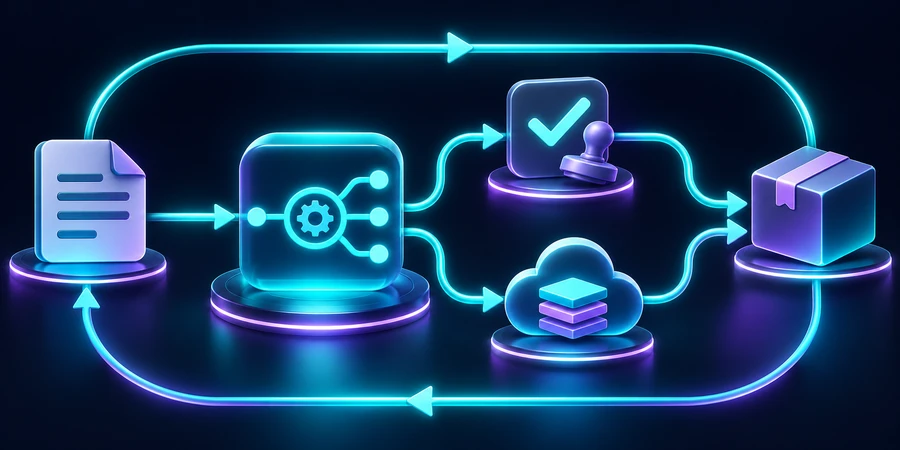
Workflow automation uses software to move tasks and information through a defined process when an event occurs. It connects applications, applies rules, and routes exceptions to the right person. The goal is less repetitive handling while preserving the decisions that require human judgment.
A customer submits a request. Someone copies it into a spreadsheet, creates a CRM record, and messages a colleague. Each step looks small. Together, they create a process that depends on people remembering what happens next. Automation can make those handoffs consistent and visible.
What should you automate first?
Choose a recurring process with a clear starting point, a verifiable outcome, and rules your team can explain. Request intake, client onboarding, purchase approvals, and reporting are useful candidates. Start with one bounded workflow rather than attempting to redesign the whole business.
If the terminology is new, our guide to what a workflow is explains triggers, steps, ownership, and completion. That description should come before the software decision. An unclear process usually becomes an unclear automation.
Look for repeated handling, not just frequent work
Record how often people copy data, check status, or remind someone to act. Separate hands-on time from waiting time. Saving three minutes of data entry will not remove a two-day wait for an approval unless you also improve the approval handoff.
Define what remains outside the first release
A useful initial scope might run from a complete inquiry to an assigned customer record. Proposal preparation and contract approval can remain separate. This boundary makes it easier to test the result, explain it to the team, and stop safely if something goes wrong.
Our workflow automation examples show five starting points. For purchasing teams, the procurement workflow guide explains why approvals, order creation, and receiving should remain distinct states.
How does an automated workflow work?
An event starts the process. The workflow validates its inputs, checks conditions, and performs authorized actions. It then records the outcome or sends the item to someone who can resolve an exception. A request should never disappear simply because its data does not match the expected pattern.
Establish a source of truth
Decide which system owns each field. If both the CRM and a spreadsheet can change a customer's status, define which update wins and how conflicts are reviewed. Connecting two systems without that rule can spread inconsistent information faster.
Give every item a stable identifier
A repeated event should point to the same request, not create a second one. This matters when an application retries a notification or someone resubmits a form. Before performing an action, check whether that action has already been completed for the item.
Keep approvals explicit
A notification is not an approval. When a manager must decide, the workflow should wait for a recorded response and handle rejection or absence. Different workflow types help structure sequential reviews, parallel checks, and conditional routes.
How can you implement workflow automation?
Map the current process with the people doing the work
Use actual, appropriately anonymized examples. Ask what happens when a field is missing, a request is canceled, or the usual owner is away. Document the input, output, owner, and failure path for each step. These details become your acceptance criteria.
Choose tools against the complete workflow
Check the exact operations available in every connector. Reading a record, updating a custom field, and searching for duplicates are different requirements. Our workflow automation software comparison outlines how to evaluate n8n, Make, Zapier, and Power Automate.
Run a controlled pilot
Start with a limited request category or team. Use test records before live ones, define who monitors the process, and keep a manual fallback. Test recovery as deliberately as you test the happy path: what happens after an expired credential or a temporary outage?
How do you measure the time saved?
Measure the work before implementation, then subtract the handling that remains afterward. Include monitoring, corrections, and maintenance. Released capacity can help a team respond faster or handle more work, but it is not automatically a cash saving.
Illustrative monthly calculation: 120 requests avoid 4 minutes of handling each; monitoring and maintenance take 2 hours.120requests per month8 hoursgross handling time avoided6 hoursnet capacity released
The arithmetic is 120 × 4 minutes = 480 minutes, or 8 hours. Subtracting 2 hours leaves 6. This is a hypothetical example, not a Dopweb client result. Compare equivalent requests and include difficult cases rather than measuring only successful runs.
Also track quality: unassigned requests, duplicate records, reopened cases, and missed deadlines. A faster process that needs frequent corrections may simply move work to another team.
Does every workflow need AI?
No. Rules are usually enough to check required fields or route a known request category. AI can help with unstructured text, document extraction, or summaries. IBM's workflow automation overview makes the same distinction: automation does not require AI.
When AI is useful, specify what it may suggest and what it may execute. Validate important outputs before they affect customer records or external communications. Restrict the information sent to the model to what the task actually needs.
Illustrative routing example: out of 200 requests, fixed rules handle 150 and only 50 need text analysis.75%handled without an AI call25%routed for AI analysis150AI calls avoided in this example
This is a routing example, not a guaranteed reduction in your AI bill. Model pricing, input and output tokens, retries, and other services all affect consumption. Test quality alongside usage; sending fewer tokens is not an improvement if the workflow loses essential context.
Why work with Dopweb instead of building it yourself?
A simple prototype can be a useful experiment. A business-critical workflow also needs ownership rules, dependable integrations, duplicate protection, recovery, and documentation. Dopweb's AI Agents & Workflow Automation service can help turn the experiment into something your team can operate.
We can map the process, implement the connections, build exception handling, and prepare the handoff to your staff. Accounts and permissions should be organized so your company retains control. We also identify external data processing rather than suggesting that self-hosting means no information ever leaves your environment.
After launch, the workflow can grow with your business. We can add a use case, change a rule, connect a new application, and update the tests that protect existing behavior. The goal is a maintained system with a clear owner, not a one-time collection of connected apps.
When should a workflow include an AI agent?
Compare a routine case with an exception. A complete request can be routed from a known form field. A request with conflicting details may require a CRM lookup or interpretation of a free-form note. An agent can propose a next step and show its evidence. Keep permissions and execution checks in the workflow. See the agentic AI guide for an example of that split.
Measure review and rework alongside gross time saved. If 100 requests save three minutes each, that is five hours. If twenty cases need four extra minutes of rework, the net falls to three hours and forty minutes before operating costs. For lead journeys, use the marketing automation guide to define the handoff and exit rules.
About the author — Patrick Chemoul, CEO of Dopweb
Patrick Chemoul leads Dopweb, an agency helping businesses with websites, software, and automation. The agency also provides AI agent integration and team training. Learn about Dopweb.
Frequently Asked Questions
Can ChatGPT create an automated workflow?
It can help draft the logic or instructions, but a working workflow still needs application access, permissions, triggers, testing, and monitoring. Review generated steps before allowing them to act on business data.
Can we keep our current software?
Often, provided its connectors or APIs support the required operations. Check the exact fields, actions, permissions, and recovery options before choosing the automation platform.
How do you prevent duplicate actions?
Use stable request identifiers, record completed actions, and check that record before retrying. Test duplicate events so recovery does not create a second order, message, or customer record.
How do we know when to expand the workflow?
Expand after the initial process has reliable results, understandable exceptions, and a clear owner. Add new cases with their own tests rather than assuming the original checks cover them.
Let’s Talk About Your Workflow
Tell us which process slows your team down. We can help define a practical first workflow, the systems it needs to connect, and the controls that will make it dependable.