
What Is a Workflow? Definition, Steps, and Examples
A workflow makes the next step clear: what needs to happen, who owns it, and how a request moves forward when something is missing.
Patrick Chemoul, CEO of Dopweb
Updated November 5, 2026
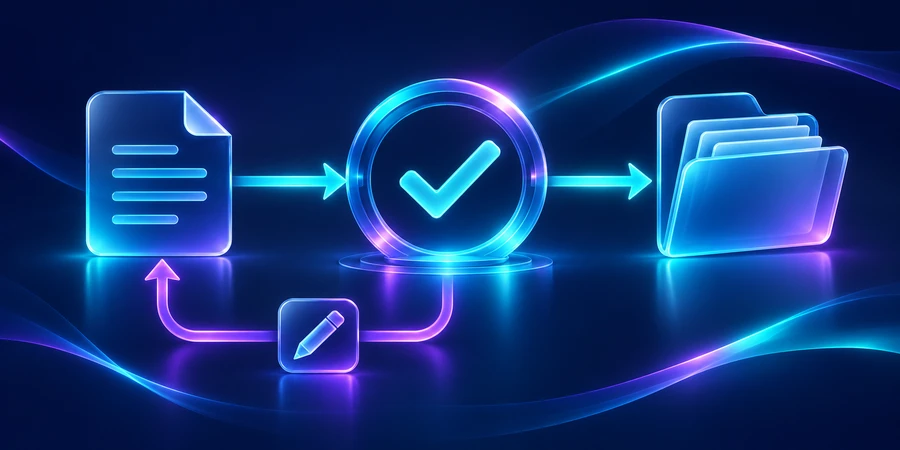
A workflow is the path a task, request, or piece of information follows from start to finish. It defines the steps, their order, the people or systems responsible, and the conditions for moving forward. A workflow can be manual, automated, or a combination of both.
Think about a new client request. Someone reviews it, another person approves the work, and a third person prepares the project. If everyone knows their own task but nobody owns the handoff, the request can stall. A workflow makes those connections explicit.
What makes something a workflow?
A task list tells you what needs to be done. A workflow also explains how work moves between tasks. It has a starting event, required inputs, actions, decisions, and a defined outcome. It should explain what happens when the usual path cannot continue.
That distinction matters when selecting software. Buying a task manager will not automatically establish who approves a request or which customer record is authoritative. The process still needs those decisions.
A clear trigger
The trigger is an observable event: a form submission, an approved agreement, or a scheduled time. Avoid vague triggers such as “when the customer is ready.” A change to a specific status is easier to test than an assumption about readiness.
Useful inputs and defined outputs
Each step needs information and should produce a result. Creating a project folder might require a customer identifier and project name. Missing information should produce a visible request for clarification, not a guessed value that spreads through several systems.
Ownership and decision rules
A step needs an owner even when software performs most of the work. That owner handles exceptions and changes. Decision rules determine the next route: a complete request proceeds, an incomplete request waits, and an invalid request is reviewed or rejected.
An explicit finish
“Done,” “canceled,” and “declined” are different outcomes. Record them separately. Also define how a corrected request reenters the process without repeating actions that have already happened.
What is a simple workflow example?
Consider setting up a new customer account. A form collects the required details. The workflow searches for an existing customer, validates the information, creates or updates the account, and sends a confirmation.
A duplicate takes a different path: the request is associated with the existing account. An incomplete submission waits for clarification. A request requiring special review stays assigned to a person until a decision is recorded.
Illustrative intake design: three outcomes that should be visible in the system.1complete request: continue1missing detail: request clarification1duplicate: match the existing record
These numbers describe design cases, not measured business results. The point is to replace a broad instruction such as “handle requests” with outcomes that your team can inspect. Our workflow automation examples apply the same thinking to five business activities.
How is a workflow different from a process?
A business process describes a wider objective, such as delivering a customer project. It may include several workflows: sales approval, project setup, delivery review, and billing preparation. Each workflow specifies an operational path within that broader objective.
A procedure goes into the detail of an individual task: how to check a document or complete a particular field. A workflow tells you when that procedure is needed, who performs it, and what happens afterward.
For a practical illustration, see the procurement workflow. The purchasing process covers a broad business outcome, while the workflow tracks requests, approvals, orders, and receiving. A receiving checklist is one procedure inside that path.
Does a workflow have to be automated?
No. A manual workflow can run through conversations, shared documents, or a task board. Software may improve visibility without performing the work. Automation begins when the system executes defined actions or handoffs in response to events and rules.
Different types of workflows describe different dimensions. “Parallel” tells you that activities can happen at the same time. “Automated” tells you how activities are performed. A workflow can be both.
IBM's introduction to workflow automation also distinguishes automation from AI. A rule-based process does not need a language model to check a required field or route a known category.
How do you tell whether a workflow is working?
Separate handling time from waiting time
A request may require only a few minutes of hands-on work but sit untouched between teams. Improving the handoff can matter more than speeding up the individual task. Measure both rather than treating elapsed time as labor time.
Hypothetical request: 12 minutes of active handling and 108 minutes waiting between steps.120 mintotal elapsed time10%active handling90%waiting
In this example, removing two minutes of typing leaves most of the delay untouched. Investigate the waiting: missing information, unclear ownership, unavailable reviewers, or scheduled batches. Each cause requires a different change.
Track rework and unknown status
Count reopened requests, duplicate records, and items with no owner. A quick completion is not valuable if the outcome is wrong. Use the same definitions when comparing periods so an apparent improvement is not just a change in reporting.
How do you document your first workflow?
Start with a single page showing the trigger, steps, decision points, and outcomes. For each step, write down the owner, required information, expected result, and failure path. Ask the people doing the work to review it.
Then walk through three examples: a normal request, an incomplete request, and a cancellation. If the team disagrees about what happens next, resolve that question before implementation. This exercise often identifies problems without requiring a new tool.
Once the rules are clear, the workflow automation guide explains how to run a controlled pilot. Our workflow software comparison covers the integration, monitoring, and maintenance criteria that matter when choosing a platform.
How can Dopweb help?
Dopweb's AI Agents & Workflow Automation service can turn the documented process into an operational system. We can map the handoffs, connect applications, implement checks, and prepare the team to handle exceptions.
You should know where the rules live, who controls the accounts, and what information goes to external services. When AI adds value, we define its role and validate its outputs. After launch, we can update the workflow as your applications, responsibilities, and business needs change.
Describe a workflow someone else can run
Take an appointment request. The trigger is the submitted form, the inputs are contact details and a reason, and the outcome is an assigned request or a follow-up question. Name the owner at each stage. If the time slot disappears, describe who picks up the case and how the request moves back into the queue.
Ask two team members to run the process on the same sample. If they route it differently, clarify the rule or required field before automating. See what marketing automation is for the same building blocks in a contact journey and agentic AI vs. generative AI for contextual steps.
Keep an example of a completed request with the workflow map so staff can compare the documented path with real work.
About the author — Patrick Chemoul, CEO of Dopweb
Patrick Chemoul leads Dopweb, an agency helping businesses with websites, software, and automation. The agency also provides AI agent integration and team training. Learn about Dopweb.
Frequently Asked Questions
Is a workflow the same as a task list?
Not quite. A task list identifies work to do. A workflow also defines order, ownership, decision rules, handoffs, and the conditions that mark an item complete or send it for review.
Can a workflow be entirely manual?
Yes. People can perform every step and handoff. Documenting the workflow can still improve visibility and accountability before you decide whether any steps should be automated.
What starts a workflow?
A defined event, such as receiving a form, approving an agreement, or reaching a scheduled time. A useful trigger is observable and can be tested consistently.
Who should own a workflow?
Assign a business owner who understands the outcome and an operational owner for monitoring and changes. The same person may hold both roles in a small team, but the responsibilities should be explicit.
Let’s Talk About Your Workflow
Tell us which process slows your team down. We can help define a practical first workflow, the systems it needs to connect, and the controls that will make it dependable.