
3 Agentic AI Use Cases for Businesses
See what an agent can handle in customer support, sales, and purchasing, and where your team should approve the next step.
Patrick Chemoul, CEO of Dopweb
Updated November 5, 2026
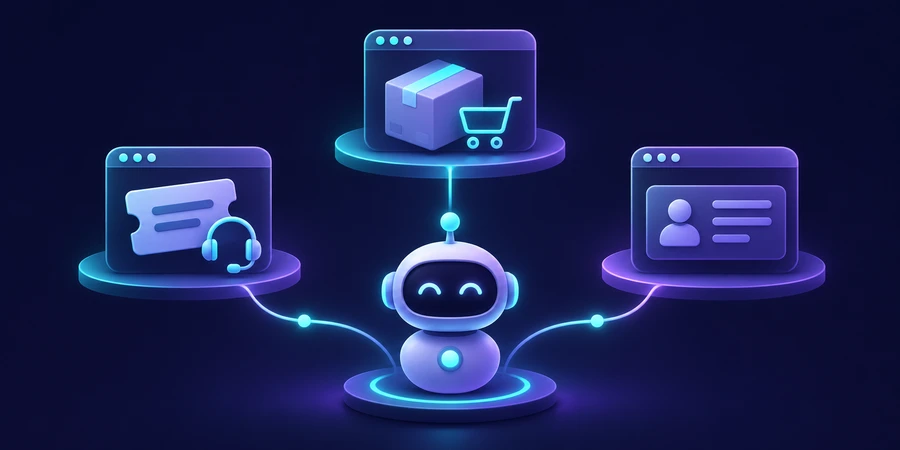
An agentic AI use case pairs a specific business outcome with a limited set of tools. Useful first projects include preparing support responses, routing leads, and organizing purchasing exceptions.
Agentic AI use cases from intake to review
Customer support: build a case a rep can verify
A customer reports a damaged item. The rep needs to identify the order, retrieve the right policy, check the delivery date, and ask for missing evidence. Start with a limited category such as standard returns. The agent can read the request, look up the authorized order, and produce a review packet with the source policy, relevant facts, and a draft. The rep confirms the answer before the customer receives it.
Define separate outputs for complete cases, missing information, and policy exceptions. If the agent cannot identify the order or verify the policy version, it should say so explicitly. Track acceptance, substantial edits, unsupported claims, and time from intake to a reviewable response. That makes it easier to tell whether the tool saves research time or simply shifts the effort to a second review.
Sales: route leads without creating duplicate accounts
An inbound form includes a business name and a description of the request. The agent can search existing CRM records, summarize the need, and suggest a rep. A domain or existing account ID might produce a reliable match through a rule. Similar names, subsidiaries, and personal email addresses are reasons for a handoff. Ask the rep to confirm ambiguous matches before creating an opportunity or updating a customer record.
Specify which fields belong in the review packet: account candidate, original inquiry, reason for routing, and missing data. Evaluate duplicate rates and accepted matches rather than just response speed. If the CRM process is still inconsistent, use the marketing automation examples to define a routing and follow-up path before adding the agent.
Example evaluation or acceptance criteria 25 CRM matches tested 5 simulated name collisions 20% ambiguous cases in the batch
Purchasing: prepare exceptions for a buyer
A department submits a purchase request with an approved vendor name but a missing product code. An agent can search the authorized catalog, identify which details are missing, and put the packet in the buyer’s queue. The purchasing system should continue checking prices, spending thresholds, and approval authority. The agent can show which catalog entry it found so the buyer can make the final decision.
Design an explicit outcome for an unavailable vendor record or an item outside the allowed catalog. Measure time until the request is ready to review and how often buyers return a packet for more information. Start with procurement workflow automation for the stable steps, then decide which exceptions justify adding an agent.
Compare the outputs each pilot will deliver
Support needs a reviewable answer with source references. Sales needs a routing proposal the rep can accept or correct. Purchasing needs an exception packet with catalog evidence. Put the output where staff already work. A useful answer in a separate chat may still cost time if someone has to copy it to the right record.
Keep the standard path simple
Let an ordinary order-status request use a rule if the order ID is valid. Use the same approach for sales intake with a reliable CRM ID or for a complete purchase request. Send only the ambiguous cases to the agent. Label those two paths in your pilot data and compare results for the exceptions and for the overall workload. If the benefit is concentrated in a few rare cases, consider an on-demand tool that a staff member invokes when the extra research is worth doing.
Use a one-page screening scorecard
For each proposed use case, list its monthly volume, baseline time, the cost of common errors, and who owns the decision. Record which applications it needs, which records it may read, and whether the proposed outcome is a note, a draft, or an actual change. Ask whether the process still works manually if the integration is unavailable. Give priority to recurring work with reliable source data and a reversible outcome.
Create an anonymized evaluation batch with typical cases and edge cases. Have the staff who handle those cases define acceptable outcomes and escalation criteria before the test. Rate unsupported claims, wrong record matches, and unauthorized actions separately from small wording changes. A blended score can hide the kind of mistake that should prevent launch.
Keep unrelated use cases separate
A support agent preparing returns and a sales agent qualifying leads need different data and permissions. Give each one a separate identity and test set. They can share a logging convention while still keeping customer access scoped to the relevant job. When you launch the second pilot, repeat the baseline measurement with its own cases and approval rules. Choose the queue where reviewers can verify the result with the least additional work.
For each use case, name the person who can stop the pilot and the person responsible for the unresolved queue.
Calculate the benefit after exceptions
In an illustrative support pilot, saving four minutes on each of 60 tickets gives four hours of gross time savings. If ten cases need three extra minutes of correction, the net savings fall to three and a half hours before model costs, monitoring, and ongoing maintenance. Run the same calculation at your own volume. For purchasing, turnaround time and fewer returned packets may matter more than total minutes saved.
Review the results by category. If the agent works well on straightforward tickets but consistently mishandles account mismatches, limit it to the reliable queue. Your evaluation should show where the system can be useful today and which scenarios should remain manual while the data or process improves.
Illustrative scenario, not measured results 60 tickets per month 4 min saved per ticket 4 h gross time per month
For the underlying approach, see the technical reference.
Use a manual comparison group
Keep a small group of similar cases on the current process during the pilot. Compare completion times and errors by category. This helps separate a change caused by the agent from a quieter queue or an easier set of requests.
How Dopweb can help you launch the right use case
We can observe your intake process, build a map of the steps that consume staff time, and compare a rule-based workflow against a limited agent. For the first pilot, we can deliver an integration plan, approved data sources, a test set, and a named escalation path. That gives your team a concrete way to decide whether the project is worth expanding.
Dopweb can connect the tools with limited permissions, measure model usage and review effort, and document the manual fallback. Your team can keep control of its accounts and operating rules. If results support an expansion, we can add one use case at a time and rerun the evaluation against the new case mix. Explore Dopweb’s AI agents and workflow automation service.
Related guides on agentic AI
the agentic AI guide · the generative AI comparison · how to build an AI agent · how to compare tools · agent oversight
About the author — Patrick Chemoul, CEO of Dopweb
Patrick Chemoul leads Dopweb, an agency helping businesses with websites, software, and automation. The agency also provides AI agent integration and team training. Learn about Dopweb.
Frequently Asked Questions
What is a low-risk first case?
A read-only task that prepares a result for review, such as classifying support requests.
Can an agent send messages automatically?
Only when scope, recipients, and failure handling are defined. Start with drafts.
What metric should I track?
Measure time and cost per correct outcome, including review and rework.
When should the agent escalate?
When the evidence is missing or contradictory, or the action requires approval.
Let’s Talk About Your Workflow
Tell us what your team wants the agent to handle. We’ll discuss the scope, integrations, and controls needed for a first pilot.