
AI Agent vs. Chatbot: Which Should You Use?
Does your customer need an answer, a recommendation, or a change to a business record?
Patrick Chemoul, CEO of Dopweb
November 6, 2026
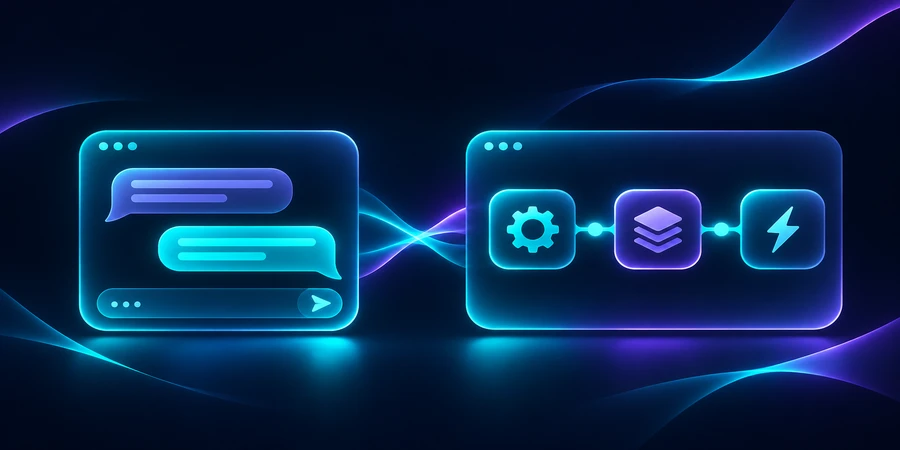
A chatbot handles a conversation. An AI assistant helps a person complete a task. An autonomous AI agent can choose steps and use tools within a defined scope. The right choice depends on whether your customer needs information, a recommendation, or a confirmed action.
What is the difference between an AI agent and a chatbot?
Start by separating the interface from the system behind it. A chat window is a place to ask a question. It can serve scripted answers, help a staff member prepare a decision, or ask a service to change an account. The last capability has operational consequences even when the interface looks familiar. Compare the actual permissions and responsibilities, including who can stop the action and how a customer can recover from a mistake.
A chatbot handles predictable conversations
A property management company can answer questions about office hours, explain which number to call after hours, and route a leasing inquiry. Those answers should come from approved information. Keep the emergency path available even if the chat service is slow. Track whether users find the right destination and which questions cannot be answered confidently. This work improves the experience even if the underlying chatbot has no access to business systems.
An assistant drafts or recommends
An assistant can read a resident’s request and prepare a summary for a coordinator. It might suggest a maintenance category or flag missing details such as unit number or access instructions. The coordinator sees the source message, checks the classification, and submits the ticket. Review the first drafts that staff discard entirely. Their reasons help distinguish poor source data from a classification rule that needs changing.
An agent can choose and execute a step
An agent could look up the building, find approved vendors, and propose an appointment that meets access constraints. If allowed, it might create the appointment after the resident confirms the exact window. Tool access should be granted by action and by property. The agent does not need access to every building or a payment method to schedule a visit. Our guide to autonomous AI agents explains how to scope the work.
How would each option handle a maintenance appointment?
Consider a resident who reports that a dishwasher is leaking. A chatbot can give the relevant contact details and collect the basic information. An assistant can draft a ticket for a coordinator. An agent could find the approved appliance vendor for that building, identify available visit windows, and offer one after checking access instructions. The business must decide whether a leak is always urgent, which cases require immediate routing, and who can approve extra work.
Separate the simple route from exceptions
Suppose your booking rules cover standard appliance work. Keep gas, electrical, flooding, or other high-impact cases on a dedicated path that does not depend on a model making a subtle distinction. Keep unclear requests with a coordinator. Give staff an evidence trail that records why the issue was classified, which building record was used, and which vendor the system selected. A customer should not have to re-enter all the details if the workflow transfers to a person.
Is ChatGPT itself an autonomous agent?
The product name does not answer the implementation question. A conversation that returns a recommended time still leaves the booking to a person. A configured system that selects tools and can write a booking has a different responsibility. Ask the vendor to show the specific integration, identity, approval step, and record of a successful write. Test how the system behaves when the tool is unavailable, when the calendar changes, and when a booking request is repeated.
Can rules handle part of the work?
Yes. Use rules for eligibility, service windows, and whether the vendor belongs to the building. The agent can interpret the resident’s message and gather the required context. A workflow automation rule can perform the final booking after checking that context. Keeping these responsibilities separate makes it easier to test the booking independently from the language model.
What should you measure before moving beyond chat?
Use a sample from your own operation. In an illustrative queue of 150 requests, 90 need only information, 45 need a staff review, and 15 qualify for a narrow booking flow. This split suggests a large role for a good knowledge base and a small initial scope for writing appointments. Use the actual share of eligible requests to size the investment.
90 information requests 45 coordinator reviews 15 booking candidates
In a second simulation, those 45 reviews fall from seven minutes to four minutes each. That saves 135 minutes on the sample before setup and maintenance. Check whether the saved time survives rework. An attractive average can hide a subset of requests that take twice as long because staff have to undo a bad classification.
315 min manual review time 180 min assisted review time 135 min gross savings
Compare customer outcomes as well as staff effort
Track correct routing, time to the first useful response, and how often a resident has to contact you again. For booking, track overrides and cancellations separately. Review difficult conversations with a member of the support team and record what a successful handoff contains. Test an outage by disconnecting the calendar in a sandbox. The experience should still offer a valid fallback and make clear whether an appointment was created.
What should a vendor demonstrate before you buy?
Bring three representative requests: a straightforward question, a draft that needs staff review, and an appointment that should be refused. Ask for a live demonstration with a test calendar and an unavailable vendor. Watch how the system explains the fallback and how a coordinator finds the resulting record. The demo should show enough evidence to tell whether an appointment really exists.
Who owns the rules after rollout?
Properties, vendor schedules, and emergency policies change. Decide who can edit these rules and how the team checks updates before they reach customers. Ask for a small set of reusable examples and a way to inspect changes. A simpler system may be easier to maintain if a coordinator has to update the rules weekly. Consider the operating work alongside any improvement in booking speed.
For the next step, see how to pilot an AI agent for customer service.
How Dopweb helps you choose and build the right system
Dopweb maps the current customer journey, identifies the decisions that require a person, and compares a chat-only solution with a connected workflow. We can prototype a narrow path, connect the approved tools, and document the permissions, test cases, and fallback that your team needs to operate it.
If a model is involved, we measure input size, retry frequency, and cost per usable outcome. We define which records remain in your systems and which fields a provider needs to process. After launch, we can extend the workflow to another property or service category without opening access to unrelated data. Explore AI Agents & Workflow Automation or see Google Cloud’s guide to AI agents and assistants.
About the author — Patrick Chemoul, CEO of Dopweb
Patrick Chemoul leads Dopweb, an agency helping businesses with websites, software, and automation. The agency also provides AI agent integration and team training. Learn about Dopweb.
Frequently Asked Questions
Can a chatbot book an appointment?
Yes. It can call an integration that checks availability and creates a booking. The safeguards depend on the action behind the chat, including how the user confirms the exact time.
Is ChatGPT always an autonomous agent?
No. It depends on the setup. A conversation that proposes a time leaves booking to a person. A configured system with approved tools can perform steps within the limits you set.
When should I keep my existing chatbot?
Keep it when it reliably answers routine questions or routes customers. Add a connected capability only for a clearly defined issue where it can improve the customer or staff experience.
What prevents duplicate appointments?
Check availability at the point of booking and use a unique request identifier. If the booking call times out, check whether it succeeded before retrying.
Let’s Talk About Your Project
Tell us what your team wants to accomplish. We’ll help define the first use case and the checks it needs before launch.