
AI Agents for Customer Service: A Pilot Guide
What happens when a support agent can see your customer’s account but can’t verify who is asking?
Patrick Chemoul, CEO of Dopweb
November 6, 2026
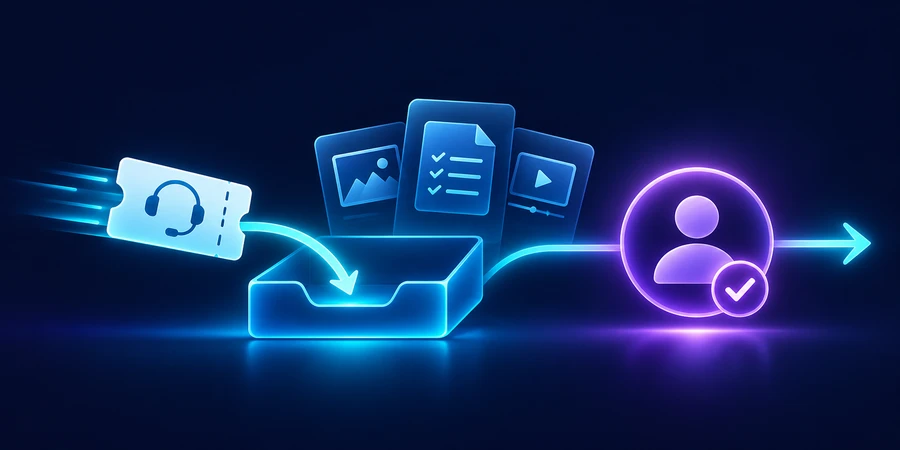
A customer service AI agent can look up an account, collect evidence, and help resolve a defined request. Start with one issue your team understands well. Use authenticated data access, a clear handoff, and a measure of actual resolution that counts repeat contacts.
What is a good first use case for a customer service AI agent?
Choose a request with a reliable source of truth and a clear definition of done. A B2B software provider might start with requests to check the status of a previously submitted support case. This has a predictable answer when the customer has access to the case and the case record is current. It leaves payment disputes, account recovery, and contractual commitments with the teams already responsible for them.
Follow the manual path before building the agent
Ask support staff to show how they handle a status request. They may first confirm the account, find an open case, and compare the ticket with an engineering update. Note which updates are visible to customers. An internal incident discussion may include other accounts, unconfirmed causes, or security details. The agent should receive the customer-facing status and the next promised update, with a reference back to the approved record.
Define what counts as a resolved request
For a status inquiry, resolution might mean returning the correct status, the last customer-facing update, and the next expected contact. If there is no estimate, say so and offer a valid handoff. A ticket tagged “answered” is only a system event. Check whether the customer received an answer that allows them to decide what to do next.
How should the agent connect to your help desk?
Use narrow operations such as retrieving customer-visible fields for a case the requester is authorized to see. Enforce account membership at the integration layer. If a customer has access to several accounts, require a verified selection. Never rely on the case number by itself as proof of access. Record which case was retrieved and why the operation was allowed, without logging the full message unnecessarily.
What should a handoff contain?
A good handoff includes the issue, the verified account, the case ID, the approved details already shared, and the specific question staff need to answer. Route it to a queue that can act. If a customer says a release is blocking a deadline, capture that context while avoiding promises about priority or time to resolution. Preserve the customer’s place in the conversation so staff do not ask for the same details again.
What happens after hours or during an outage?
Test both scenarios before rollout. If the help desk is unavailable, the agent can explain that it cannot retrieve the case and offer an approved support channel. If the handoff queue is closed, share the expected response window only when it is known. Give the support team a way to suspend the agent’s external replies while keeping intake active. See the autonomous AI agents guide for ways to limit what the agent can do and the Google Cloud documentation on virtual agents for an example of human and virtual queue design.
How can you test the pilot with realistic requests?
Replay recent cases with test accounts and review the answers against the case history. Include a case assigned to another account, a merged ticket, a case that reopened after resolution, and one where there is an internal update but no approved external update. Staff should review each example for correct account, accurate status, and appropriate next step. Add any issue that causes a customer to contact you again.
Check concurrency and duplicate requests
Customers may send the same question through chat and email. Match the records only when the identity and case reference support it. When both channels arrive together, use a unique event identifier for any record update and verify the current state before retrying. Test a timeout after a handoff. Support should be able to tell whether a queue item was created before the system tries again.
What metrics matter more than the number of chats closed?
In a hypothetical set of 240 requests, 150 are eligible for the pilot and 105 get an initial answer without a human handoff. That is 70% of eligible requests and roughly 44% of the full queue. These numbers answer different questions: one measures the scoped flow, and the other shows how much of the total operation it touches.
240 requests in the sample 150 eligible for the pilot 105 initial answers without handoff
Now suppose 15 of the 105 ask about the same issue again during the defined follow-up window. That leaves 90 cases, or 60% of eligible requests, with neither a handoff nor a repeat contact. Use that figure alongside answer quality and time to the first useful response. Repeat contacts can occur for reasons beyond the agent’s control, so read a sample to identify why customers returned.
105 initial answers 15 repeat contacts 60% of eligible cases without a repeat or handoff
Measure the work that remains
Track how long staff spend reviewing an escalated case and whether the handoff saves time. Compare time for similar requests on the same shift and queue. A faster initial reply can hide a slower overall resolution if the escalation lacks account context. Record the costs of the integration, model, retries, and review against usable outcomes.
When should you add a second support issue?
Choose an adjacent issue that can use the same identity controls, then define its own completion criteria. A case status agent could begin preparing escalation packets for blocked releases. That still does not authorize the agent to promise a fix date. Start with internal drafts and measure whether engineering can act on the packets without asking support to reconstruct the timeline.
How can support staff improve the agent week by week?
Review one successful answer, one useful handoff, and one failure with the people who work the queue. Look at the record used and the exact claim shown to the customer. If an approved status changed but the agent received old data, fix the retrieval path first. If agents and staff interpret a status differently, update the customer-facing language and replay a case that exposes the difference.
Add new channels only after verifying identity and continuity on each. Email replies, portal chat, and in-product support may provide different evidence about the user’s account. Make those differences explicit in the acceptance criteria.
For the next step, see how to control access to customer records.
How Dopweb builds customer service AI agents
We start with a clearly defined issue and follow it from customer request to resolution. We connect the approved systems, enforce the right access, and build the handoff with your support team. We test unhappy paths and set up measurements the team can review after launch. We can then add new request types or channels based on the pilot results. Explore AI Agents & Workflow Automation.
About the author — Patrick Chemoul, CEO of Dopweb
Patrick Chemoul leads Dopweb, an agency helping businesses with websites, software, and automation. The agency also provides AI agent integration and team training. Learn about Dopweb.
Frequently Asked Questions
What is a good first customer service AI agent use case?
Choose one frequent issue with reliable data and a clear outcome, such as checking the status of an authenticated support case.
Should a case number grant access?
Verify account membership separately. A valid case number may belong to another customer. The integration should check authorization before returning any customer-visible fields.
What should a handoff include?
Include the verified account, case reference, issue, information already shared, and the decision or action a support team needs to take.
How do you measure resolution?
Check answer accuracy and repeat contacts within a defined window. Report results for eligible requests and the full queue so teams can interpret the coverage.
Let’s Talk About Your Project
Tell us what your team wants to accomplish. We’ll help define the first use case and the checks it needs before launch.