
Hyperautomation Orchestration: How to Connect Systems
How do you recover one failed step without repeating everything that already worked?
Patrick Chemoul, CEO of Dopweb
November 6, 2026
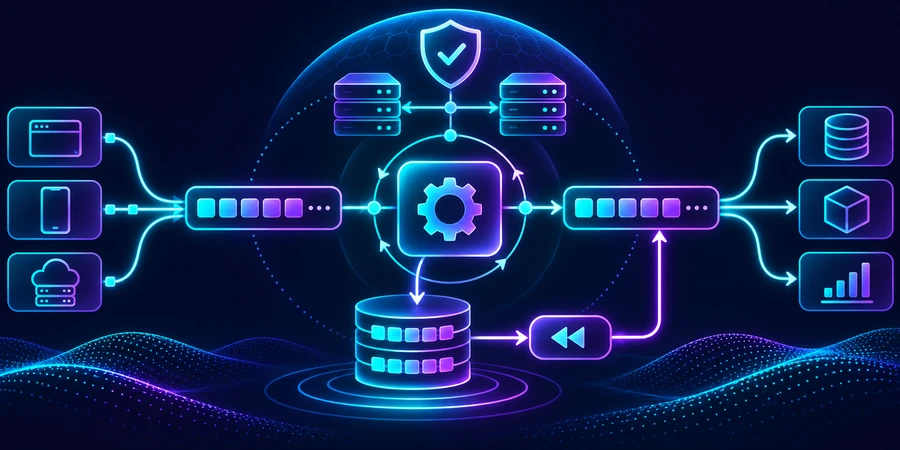
Hyperautomation orchestration coordinates the state and actions of a process that crosses systems. It tracks what started, what completed, which approvals are pending, and what needs recovery. The goal is to recover the affected step without repeating confirmed work.
What should an orchestrator track?
Store a stable case ID, the current state, and the result of each action. Distinguish a requested action from a confirmed one. If the shipping system receives a request but returns no result, leave the operation in a state that calls for verification. Do not issue a customer message based on an attempted write. Record the target system’s operation or record ID so staff can check it independently.
Keep source-of-record responsibilities clear
For a replacement order, support owns the approval, inventory owns the reservation, and the shipping service owns the label. The orchestrator tracks references and transitions without becoming a second source for all those records. Fetch current data when a case resumes. For example, a canceled approval should stop a label request even if it was valid when a staff member opened the case.
Example: a shipping label request times out
The integration submits a label request and the connection closes before the response. The shipping provider may already have created the label. Use a stable operation reference to check before retrying. If the result cannot be verified, keep the case pending with the attempted action and a human owner. Distinguish timeout, rejection, and successful confirmation in the case history.
How do you handle duplicate or late events?
Messages can arrive twice after retries. Define an idempotency key based on the business action, such as creating one label for an approved replacement. If a later message repeats that action, return the existing result where possible. When a delayed event arrives after a new one, compare the version or current state before updating it. A late shipment scan should not undo a later delivery confirmation.
What if two steps can run in parallel?
Inventory availability and address validation can run independently. Define which results are required before the label step starts. If one service fails, keep the other result and retry only the failed step when it is still safe. If a confirmed result has expired, verify it again before continuing. This helps staff see what needs work without rebuilding the entire case.
How do you measure recovery and duplicate handling?
In a simulated batch of 200 events, 25 are retries. The system recognizes 22 repeated actions, while three remain uncertain because the target tool cannot confirm the result. Count retries separately from new cases. A high volume of events does not mean the workflow handled more business work.
200 events received 25 retry events 3 operations needing verification
In another simulation, 40 incidents take 15 minutes each to recover without shared state and nine minutes with it. The gross difference is 240 minutes. Inspect what the recovery actually did. Faster recovery is a poor result if it creates duplicate labels or loses the approval that justified the original action.
600 min manual recovery before 360 min with shared state 240 min gross difference
When should automatic retries stop?
Set an attempt limit, time window, and owner for the final exception. A temporary network failure may justify a retry. An access denial calls for investigation. Before replaying an older action, check that the approval, source records, and destination remain valid. See IBM’s hyperautomation overview for the broader integration context.
What belongs in a recovery record?
Show the last confirmed result, attempted operation, target system, and reason the case stopped. Link to the source record. Give staff a way to verify state independently of the control that retries the operation. A person should be able to inspect whether a write occurred without triggering another one.
What if an approval is no longer valid?
An approval can expire or become stale after a case changes. Before continuing, compare the case version, scope of the approval, and current state in the destination system. If the intended action or destination changed, obtain a new approval. Record the reason so the reviewer can see what changed rather than reread the entire history.
How do you simulate an outage?
Test an interruption before the call, after the write, and before the response reaches the caller. Each may look like a timeout even though the target system ended in a different state. Compare the orchestrator’s record with the source of truth for each run. Check that the alert reaches a person who can inspect and resolve it.
How do you handle a cancellation mid-process?
Suppose a customer cancels a replacement after a label is created but before a carrier picks it up. Stop downstream actions and inspect what has already happened. If the carrier can void the label, record that confirmation separately. If the package was collected, hand it off to the team that can arrange another outcome. A single “canceled” flag can conceal an action that still needs recovery.
What happens when you release a new workflow version?
Decide whether active cases stay on their original version or migrate. Check whether the new workflow can read existing operation identifiers and recognize confirmed writes. Test cases that stopped at different stages. If a transition cannot be mapped safely, route the case to a reviewer with its original history.
Keep enough detail to diagnose delays
Expose time in the current state, retry count, and the last verified response from the target system. Staff can then distinguish a legitimate wait for approval from a stalled action.
The hyperautomation guide explains how this part fits into an end-to-end process. For related decisions, see governance and incident ownership and task automation compared with a coordinated process.
How Dopweb designs orchestration across systems
We map state changes, build tool integrations, and define the evidence needed to resume a case. We test duplicates, late events, and ambiguous writes with your team. If AI supports one step, we scope its inputs and add an explicit stop when it cannot produce reliable evidence. After rollout, we can improve the recovery flow or connect additional processes. Explore AI Agents & Workflow Automation.
About the author — Patrick Chemoul, CEO of Dopweb
Patrick Chemoul leads Dopweb, an agency helping businesses with websites, software, and automation. The agency also provides AI agent integration and team training. Learn about Dopweb.
Frequently Asked Questions
What does an orchestrator do?
It tracks process state, waits for approvals, and coordinates safe recovery across systems.
Should you retry after a timeout?
First verify whether the original write succeeded. If its state remains unknown, route the case for review.
How do you prevent a duplicate write?
Use a stable operation key and check for an existing confirmed result.
What if an event arrives late?
Check its version or timestamp against the current state before applying it.
Let’s Talk About Your Project
Tell us which process crosses systems or teams. We’ll help identify a first result and the controls it needs.