
Intelligent Automation: A Practical Business Guide
Which parts of your workflow need AI, and which should stay with business rules?
Patrick Chemoul, CEO of Dopweb
November 6, 2026
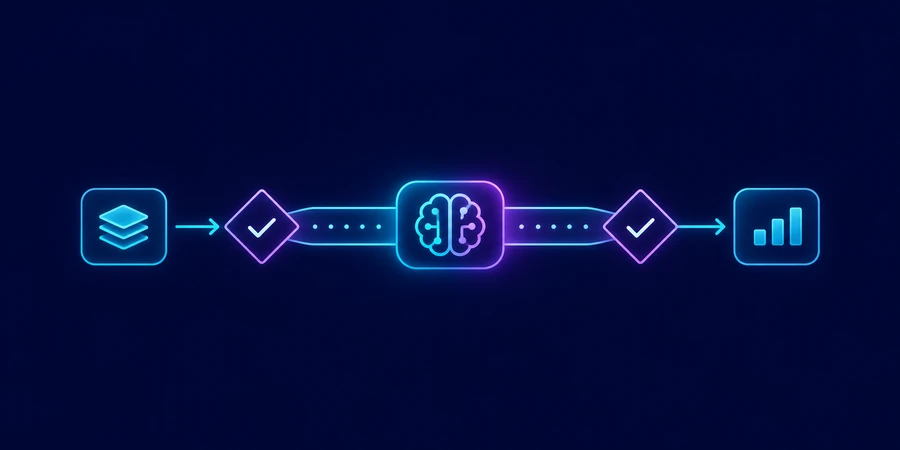
Intelligent automation combines business rules, system integrations, and AI where a process needs to interpret information. A useful first project targets one repeatable queue, gives staff a way to review exceptions, and measures the net improvement against how the team works today.
What is intelligent automation?
Intelligent automation applies AI to selected steps in a wider automated process. A rule can route a submission based on a known category. An AI component can interpret an attachment or classify a message whose wording varies. The surrounding workflow can validate the output, write to a system, and send an exception to a person. This separation helps a business see what the AI contributed and which controls still apply.
How is it different from AI alone?
An AI model can propose a description, extract fields, or identify a likely reason for an exception. The process still needs a trigger, a source of truth, and a way to verify and act on the answer. If the model extracts a shipment number, a lookup should establish whether that number belongs to the account in question. The model’s confidence is one signal. The actual match in the business system determines what happens next.
Where do workflow automation and RPA fit?
Workflow automation manages the movement of a request and its state. An API can exchange structured information with a supported service. Robotic process automation, or RPA, can operate a user interface where a supported integration is unavailable. Use the interfaces and rules that fit the operation, then add AI to the step that needs interpretation. AWS’s overview of intelligent automation explains how these approaches can work together.
Example: route a distributor’s delivery exceptions
A regional distributor receives messages from carriers about delayed or partial deliveries. Staff look up the shipment, verify whether the customer’s order is affected, and pass the case to the right operations queue. Some carrier messages include tracking references in a dedicated field. Others bury them in an attachment or list several shipments together. A single string-matching rule is unlikely to handle both forms consistently.
What should the automated path handle?
The intake workflow creates an event and checks for duplicates. An AI step proposes tracking references and the likely exception type. The integration checks the references in the transportation system and retrieves the matching orders. A rules-based step routes known exceptions by warehouse. If a tracking reference matches two shipments, the system prepares a handoff instead of guessing. The operations team approves changes to customer commitments.
What happens when the source information is stale?
Record the timestamp and source of the status. If the carrier says a package is delayed but the order system has a newer delivery confirmation, make the conflict visible. The system should identify the records and route the case to someone who can decide. Test whether an event arriving late can undo a newer status. Keep the latest verified state and record why the older event was ignored.
How do you select a first intelligent automation project?
Start with a queue your staff can explain and that has a reliable source of record. Ask which cases consume the most handling time and which decisions carry business risk. Pick one reversible output, such as an internal note or routing suggestion. This lets you compare results before allowing the workflow to make customer-facing changes. Our guide to workflow automation explains how to identify useful triggers, actions, and exception paths.
What should you measure in the pilot?
In one simulation, a team receives 180 carrier exceptions per month and 120 qualify for the first automation. Staff time drops from nine to six minutes on those cases. That saves 360 minutes, or six hours, before maintenance. The remaining 60 cases stay in the manual process. Report coverage as well as time saved so the projected value reflects the work that actually changes.
180 monthly exceptions 120 eligible cases 6 h simulated gross savings
In a second simulation, 96 of the 120 handoffs are usable on first review. That is an 80% first-pass rate. Break down the 24 that needed corrections by reason, such as missing references, a duplicate event, or a stale status. A recurring data defect may be cheaper to fix at the source than to handle through more model calls.
96 first-pass handoffs 24 cases needing correction 80% first-pass rate
What should you test before rolling out?
Test ordinary cases and the exceptions that can cause the most harm. Replay a duplicate message, a delayed update, and a timeout after a write. Make sure the workflow verifies the actual system state before repeating a write. Confirm that staff can find the original message and the proposed action when a case moves into their queue. See our autonomous AI agents guide for the additional permissions and approval decisions that arise when a system chooses its own next step.
What should a release decision document include?
Write down the queue, the eligible case types, the expected outcome, and who owns the fallback. Record the quality threshold and the exceptions that prevent rollout. Include how to pause an action while keeping intake active. Keep the document close to the test cases so staff can update them together when an integration or business rule changes.
How do you explain the pilot to the people who will run it?
Use a short operating brief. Include the event that starts the workflow, the records it can read, what it may write, and who takes over when it cannot finish. Show staff the evidence behind a routing decision so they can identify an incorrect shipment without learning how the model works.
Which pilot results deserve a second look?
Compare first-pass quality across warehouses and carrier message types. If one carrier accounts for most exceptions, inspect its inputs and timestamps before changing the model for the entire workflow. Ask staff which handoffs are easy to verify and which require opening several systems. A new integration that shortens the investigation may have more value than a more sophisticated classifier.
Finally, test the manual path with a coordinator who did not build it. If the coordinator cannot find the original message or determine whether a note was saved, fix that handoff before the next rollout.
Five Guides for Your First Intelligent Automation Project
How Dopweb helps implement intelligent automation
Dopweb maps your process with the people who handle it, identifies where rules are enough, and prototypes the step that needs AI. We connect the approved systems, enforce the access boundaries, and test the handoff with your team. We document what stays under your control and what a model provider processes. After launch, we can improve the integration, reduce retries and token usage, or extend the workflow to another queue. Explore AI Agents & Workflow Automation.
About the author — Patrick Chemoul, CEO of Dopweb
Patrick Chemoul leads Dopweb, an agency helping businesses with websites, software, and automation. The agency also provides AI agent integration and team training. Learn about Dopweb.
Frequently Asked Questions
What is intelligent automation?
It combines rules, integrations, and AI where a business process needs to interpret variable information.
Does it require an autonomous agent?
No. An extraction step and rules may be enough. Consider an agent when the next step depends on the evidence it finds.
What should a first pilot automate?
Choose a repeatable queue, a reliable source, and one reversible output that staff can verify.
How should a pilot be measured?
Compare eligible cases, quality, net handling time, and critical failures against a baseline.
Let’s Talk About Your Project
Tell us which process you want to improve. We’ll help define a first workflow your team can test.